Change the backdrop, keep the source
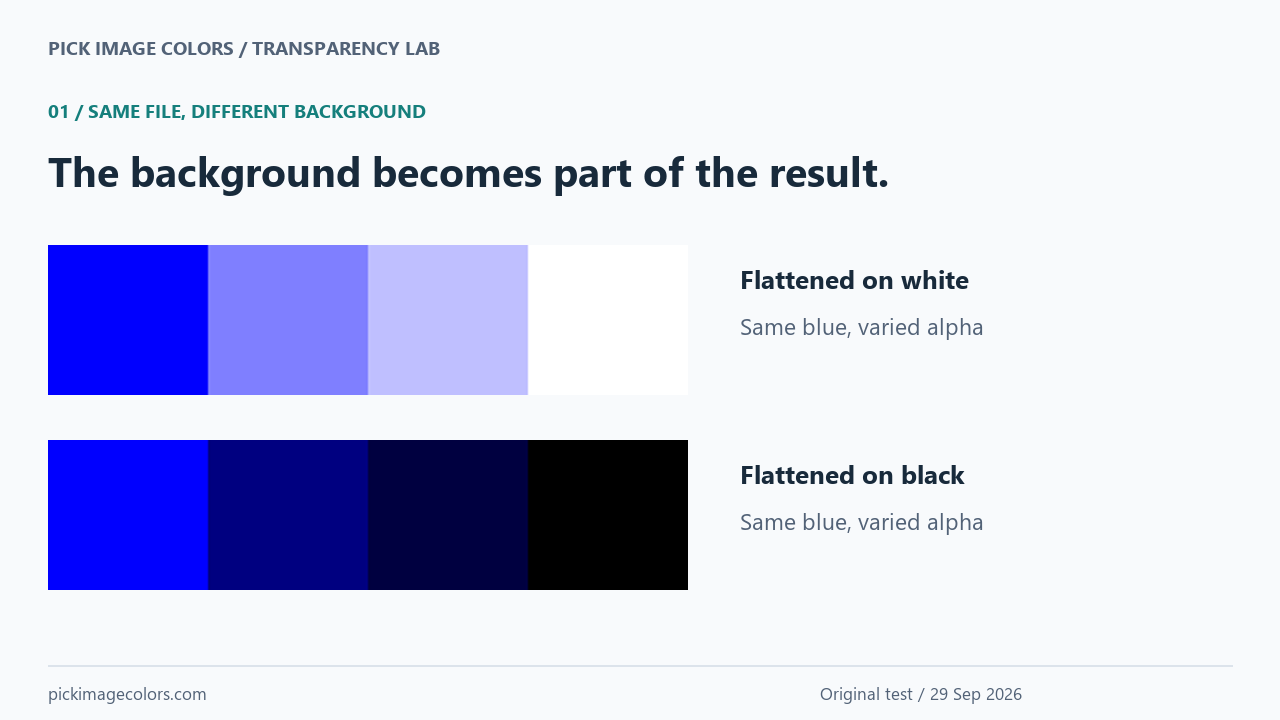
We created a 320 × 120 PNG containing four equal-width tiles. The first three have RGB (0, 0, 255), with alpha bytes 255, 128 and 64. The last contains RGB (255, 0, 0) with alpha 0. These are authored test inputs, not values guessed from a photograph.
We kept this transparent source, then used Pillow to flatten a copy over white and another over black. Neither copy was resized. We uploaded the three files separately to the existing image picker in Chrome on Windows and sampled the same coordinates. All coordinates below start from the top-left pixel at X 0, Y 0.



The same coordinate can give three useful answers
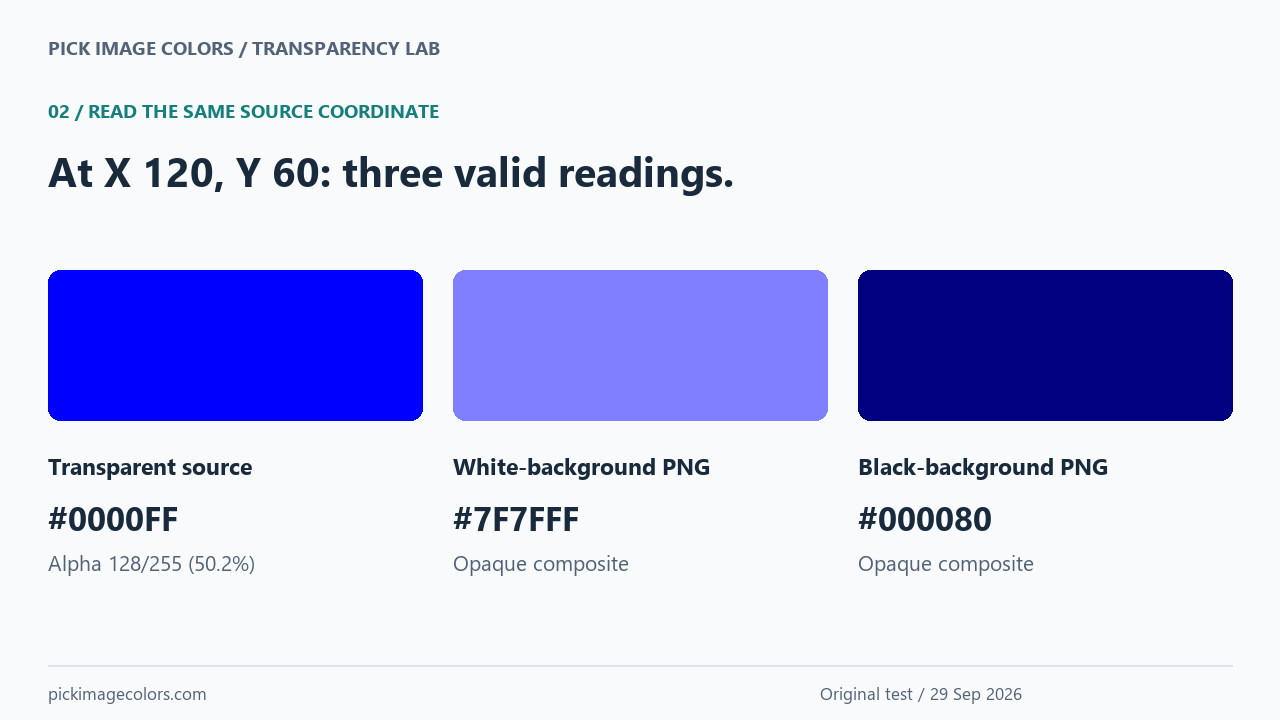
At X 120, Y 60, the source returned #0000FF and Alpha 50.2%. The white copy returned #7F7FFF; the black copy returned #000080. Both flattened readings had Alpha 100%. The picker was reading different pixel data from the three files, even though every file came from the same blue tile.
| Coordinate X, Y | Source RGB / alpha | White copy HEX | Black copy HEX |
|---|---|---|---|
| 40, 60 | 0, 0, 255 / 100% | #0000FF | #0000FF |
| 120, 60 | 0, 0, 255 / 50.2% | #7F7FFF | #000080 |
| 200, 60 | 0, 0, 255 / 25.1% | #BFBFFF | #000040 |
| 280, 60 | 0, 0, 0 / 0%* | #FFFFFF | #000000 |
The lower-alpha blue tile at X 200, Y 60 moved closer to its background: #BFBFFF on white and #000040 on black. The opaque tile at X 40, Y 60 stayed #0000FF in both controls. That unchanged tile is our control for a fully opaque fill; it did not require a background correction.
Where the lighter and darker values come from
For ordinary source-over compositing onto an opaque backdrop, each output channel combines the source contribution and background contribution. The W3C compositing specification gives the underlying equation. For our encoded RGB fixture, we calculated each channel as round(F × A/255 + B × (1 − A/255)). F is the source channel, A the authored alpha byte and B the background channel.
For the red channel of our middle blue tile on white, F = 0, A = 128 and B = 255. The result is 127. Its blue channel uses F = 255 and the same background, so it stays 255. The composite is therefore RGB (127, 127, 255), or #7F7FFF. On black, B = 0: the blue channel becomes 128 and the other channels remain 0, giving #000080.
The measured opacity is based on 128/255 × 100, rounded to 50.2% for display. It is not an exact one-half opacity. Our downloadable record includes the unrounded fraction and every input; rounding the displayed percentage back into a byte is unnecessary when the source byte is already known.
This calculation describes the supplied fixtures and compositing path. It is not a promise that every application, blend mode, color profile or screenshot pipeline produces identical values.
A transparent black reading did not mean a black fill
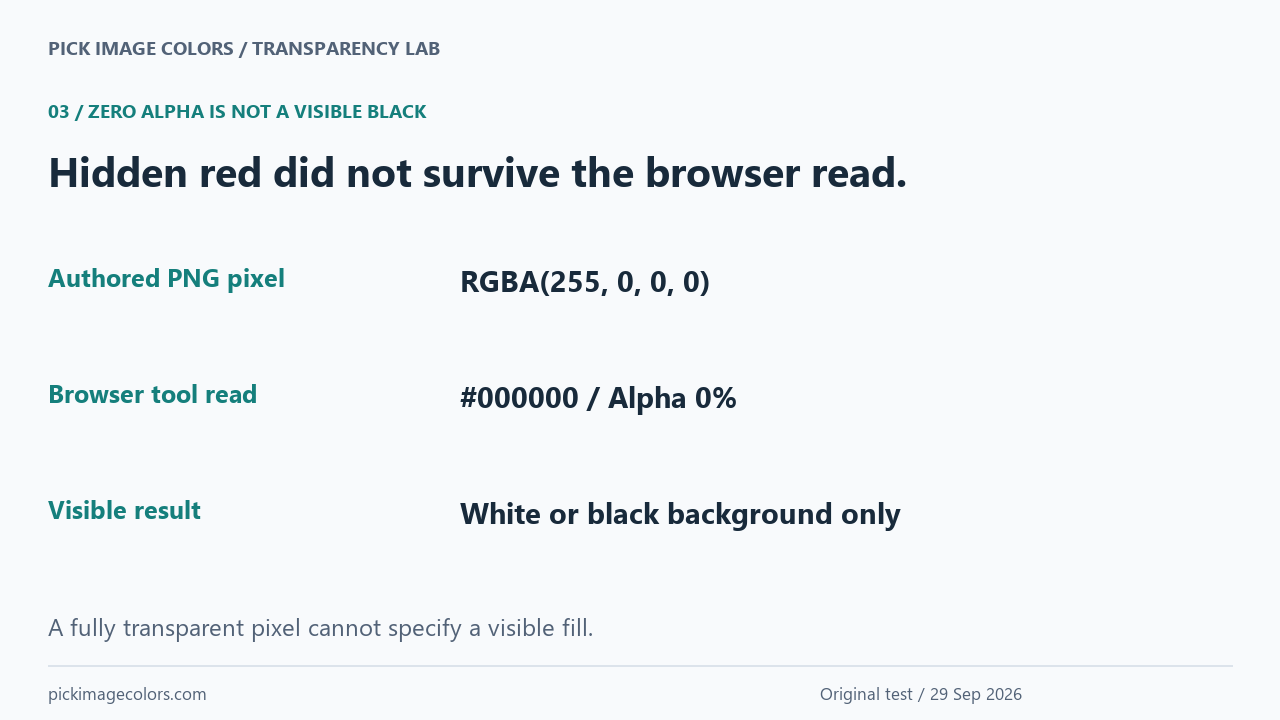
The asterisk in our table marks a deliberate trap. Pillow read the last source tile as RGBA (255, 0, 0, 0): hidden red with zero alpha. After the browser decoded the file, the tool displayed #000000, Alpha 0%, and “Transparent pixel.” Its decoded RGB differed from the RGB stored in our authored file.
We did not interpret that output as a visible black area or as recovery of the hidden red. The white control returned #FFFFFF at the same position, while the black control returned #000000 with full opacity. In this tile, the backdrop supplied the visible appearance. Zero alpha and opaque black are different results even when their displayed HEX strings match.
Copy the information your next task needs
A six-digit HEX value does not include alpha. CSS can represent it with an eight-digit value in #RRGGBBAA order; see MDN's HEX color reference. For a transparent overlay, preserve both pieces. For a surface that must match a particular flattened image, use the composite instead.
For our middle tile, #0000FF80 preserves the authored blue and alpha byte 128. The six-digit #7F7FFF reproduces our white composite as an opaque color, so it will not adapt into #000080 on a black background. These are two different reuse decisions from the same experiment, not competing guesses at one universal color.
Reproduce the comparison without a screenshot
- Download the transparent source and both opaque controls. Open the image color picker and upload one original file at a time.
- Choose the center of each tile. Use the displayed coordinates and arrow keys to reach X 40, 120, 200 or 280, with Y 60. Record both HEX and alpha.
- Repeat those same positions in the white and black files. The opaque blue control should remain #0000FF; the other positions should match the measured table.
- Compare the last tile's Alpha 0% in the source with Alpha 100% in the opaque controls. Do not copy its six-digit HEX alone as a visible fill.
To regenerate the images, run the supplied Python script with Pillow. We used Python 3.12.14 and Pillow 12.3.0; the record contains SHA-256 hashes. No ICC profile was embedded. The experiment measures these authored files and the current browser decoder, not an arbitrary image editor or physical display.
Questions about transparent PNG colors
Why does the picker show blue while the image looks pale?
The original can contain blue with partial alpha. Your backdrop contributes to the pale appearance. Read the alpha beside the RGB, or sample an explicitly flattened copy if that appearance is what you need.
Is the checkerboard part of my image?
A transparency preview can be a backdrop supplied by the application. Use the file's alpha result to distinguish it from painted pixels; do not assume a screenshot of the checkerboard preserves the source colors.
Can one opaque HEX match the overlay on every background?
Not for the partially transparent tiles in this test. White and black produced different composites. Preserve the alpha when the overlay must respond to the background.
Can zero-alpha pixels tell me the intended logo color?
Our hidden-red test did not survive the browser read as red. Choose a visible interior pixel or the original design specification instead of treating transparent decoded RGB as an intended fill.
Watch the experiment
Original experimental diagrams with synthetic English narration. Exact values remain in the table and downloads.