Quick check: if two tools disagree, first make sure you used the same file, the same source pixel, and the same color space. This experiment isolates file compression; it does not test every reason colors can differ.
One small image, three files
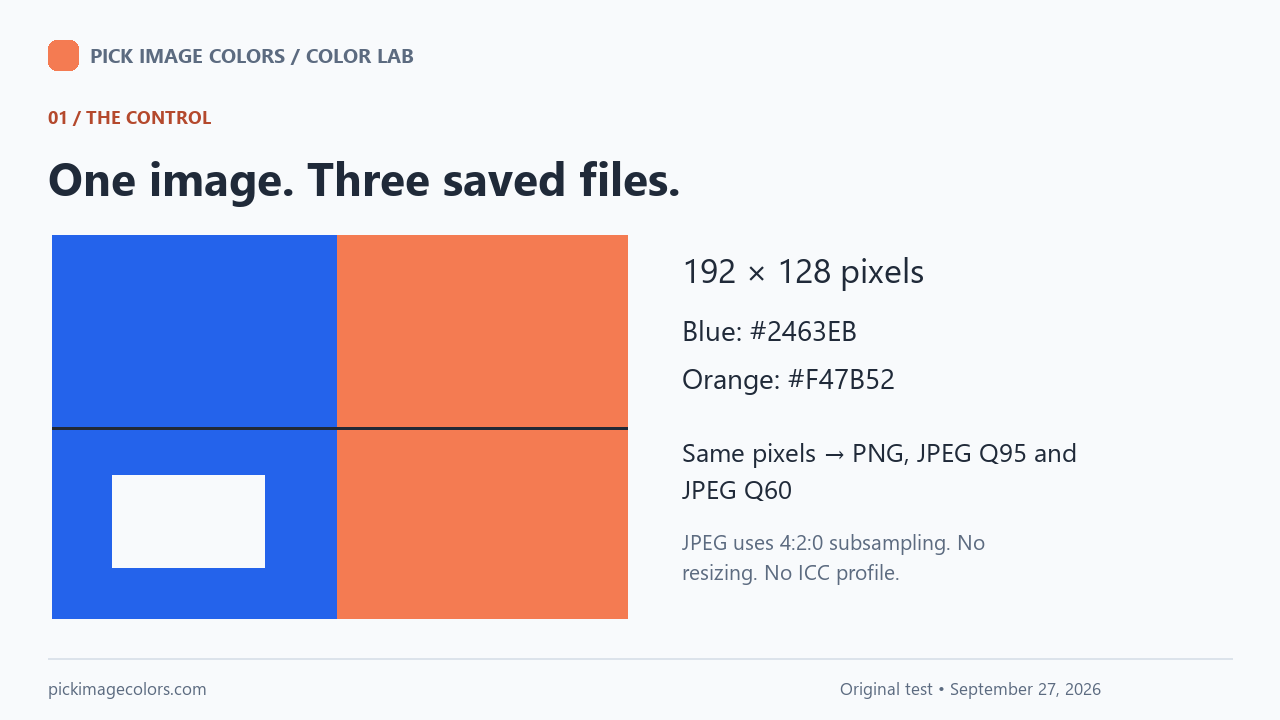
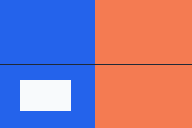
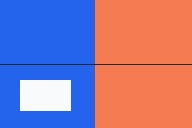
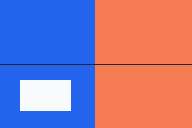
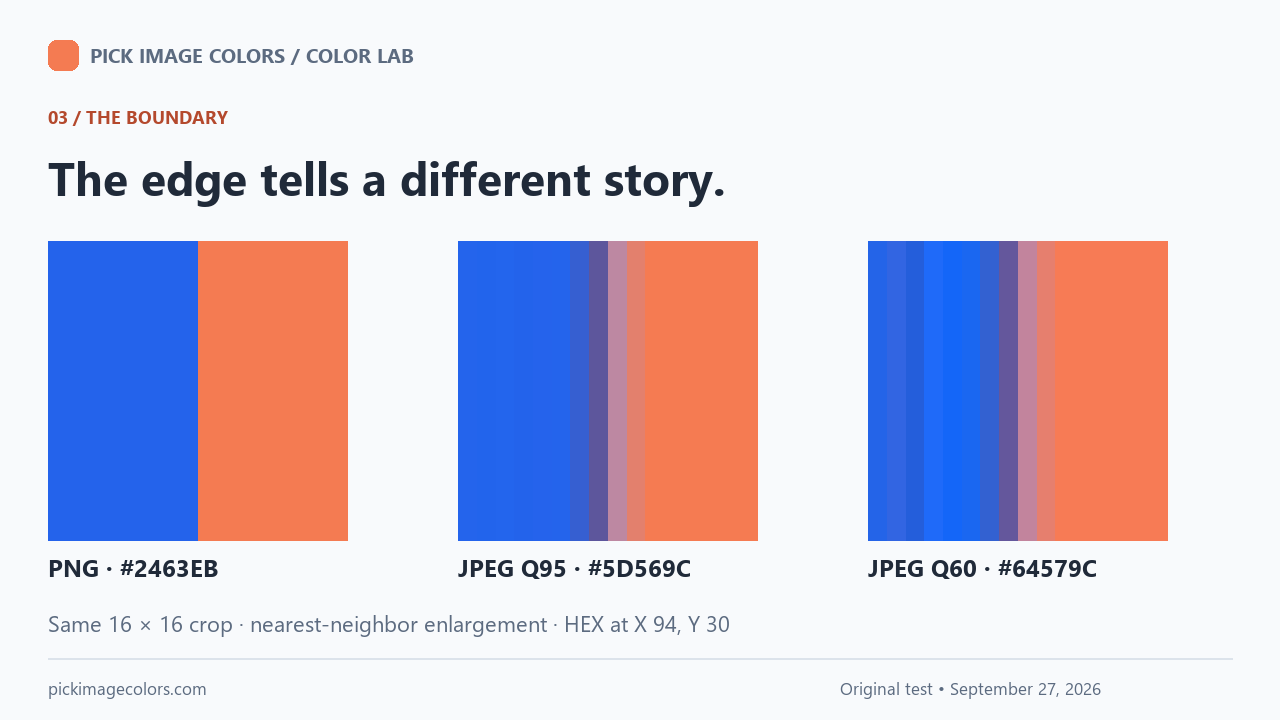
We made a deliberately simple test card: a blue area with RGB (36, 99, 235), an orange area with RGB (244, 123, 82), a light rectangle, and a dark horizontal line. The card is 192 × 128 pixels. The orange area begins at X 95, so its edge falls between the blue sample at X 94 and the orange sample at X 95.
We saved that card as an RGB PNG, then encoded the same pixels as JPEG twice: quality 95 and quality 60, both using 4:2:0 chroma subsampling. No image was resized, no ICC profile was attached, and no screenshot was involved. We decoded all files using Pillow 12.3.0 with JPEG codec version 8.0, then compared integer RGB values.
The quality numbers identify the encoder settings used here. They are not percentages of preserved color accuracy. Holding the source dimensions and sampling coordinates constant lets us check whether the saved files themselves differ before involving a browser picker.
What we measured at six pixels
Coordinates start at the top-left pixel, X 0 and Y 0. Every row below compares the identical position across the three files. These are measurements from the decoded test files, not estimates of what someone might see on a particular monitor.
| Sample | X, Y | PNG | JPEG Q95 | JPEG Q60 |
|---|---|---|---|---|
| Blue center | 40, 30 | #2463EB | #2464EC | #2264EC |
| Blue edge | 94, 30 | #2463EB | #5D569C | #64579C |
| Orange edge | 95, 30 | #F47B52 | #BD88A2 | #C2849D |
| Orange center | 150, 30 | #F47B52 | #F57B52 | #F77B55 |
| Fine dark line | 40, 64 | #212936 | #002B84 | #002891 |
| Light patch | 40, 95 | #F8FAFC | #F9FAFC | #FAFAFC |
The blue center barely moved at quality 95: its green and blue channels each increased by one. That small numerical change is enough to change the HEX code from #2463EB to #2464EC. A different code alone does not tell you whether the difference is noticeable.
At the blue edge, quality 95 gave #5D569C instead of #2463EB. The neighboring orange edge also changed, to #BD88A2. In this card, sampling the middle of a broad block is therefore a better way to approximate its original fill than sampling the boundary. It still does not return an exact original value from either JPEG.
The dark line is another useful warning. At X 40, Y 64, the original #212936 became #002B84 in the quality-95 JPEG. A thin detail can be a poor reference for the intended fill even when the export quality is high. The lesson is to inspect where you click, not simply trust a quality slider.
How much of this particular card changed?
We counted a pixel as changed if any of its three RGB channels differed from the source. Both JPEGs changed all 24,576 pixels under this strict rule, including tiny one-channel differences. This is not a claim that JPEG always changes every pixel, or that every changed pixel looks wrong.
| File | Changed pixels | Mean channel error | Largest channel error |
|---|---|---|---|
| reference.png | 0 / 24,576 | 0.000 | 0 |
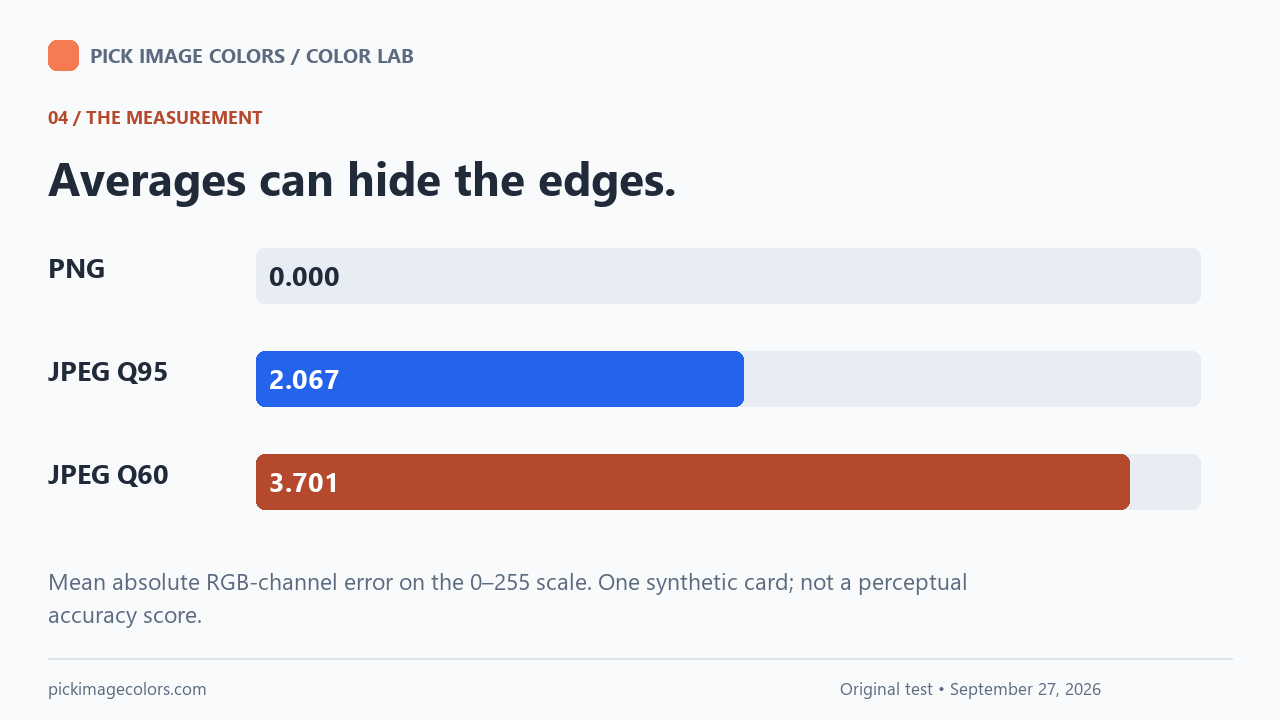
| jpeg-q95.jpg | 24,576 / 24,576 | 2.067 | 93 |
| jpeg-q60.jpg | 24,576 / 24,576 | 3.701 | 116 |
The changed-pixel rate is 100 × changed pixels ÷ (192 × 128). For each JPEG here, that is 100 × 24,576 ÷ 24,576 = 100%. Mean channel error is the sum of absolute RGB-channel differences divided by (192 × 128 × 3). The quality-95 result is 2.067 on the 0–255 channel scale, while quality 60 gives 3.701, rounded to three decimals. The full unrounded results are in the data file.
These measurements describe numerical differences, not perceptual color distance. A mean also hides location: our narrow boundary and dark line changed much more than the centers of the large blocks. Use the coordinate table when checking one selected pixel, and the whole-image table when checking this export as a whole.
Why can this happen?
PNG supports lossless image compression. Ordinary JPEG export trades some image information for compression, and chroma subsampling reduces color detail. In Pillow, the JPEG quality and subsampling settings control different parts of that process. See the PNG specification and Pillow’s JPEG documentation.
Browser processing is a separate variable. Canvas can return pixels in sRGB or Display P3, and color-managed decoding can affect the values. The Canvas getImageData documentation describes that choice. Our table uses the stated Pillow decoding path; it is not a promise that every browser decoder returns bit-identical JPEG values.
Repeat our check on your own screen
- Download the original test PNG and the quality-95 JPEG above. Keep the files at their original size; do not capture the labeled diagrams as screenshots.
- Open the image color picker and load the PNG. Click within the blue area, then use the arrow keys to reach X 40, Y 30. Record the HEX result and coordinates.
- Load the JPEG and sample that same location. Then compare X 94, Y 30 and X 95, Y 30 on either side of the boundary. Compare your readings to our table, recording your browser if they differ.
- For a file-level reproduction, download our Python script into an empty folder. With Pillow and NumPy installed, run it to recreate the files and results.json. Use the recorded library versions for the closest comparison.
This test uses one generated, opaque RGB card. It does not measure photographs, transparent edges, wide-gamut originals, print colors, or every JPEG encoder. Its purpose is narrower: the same input design can become different pixel data after saving, before a color picker reads it.
Questions that come up next
Can I convert a JPEG to PNG to restore the exact original HEX?
No. A PNG made from the JPEG preserves the decoded JPEG values. It does not know which values were discarded. Request the original asset or use the official brand specification.
Should I pick from the center or the edge of a logo?
Choose a flat interior region when you want a solid fill. Edges may include blending, antialiasing or compression artifacts. Check several interior points and use the official brand color if an exact match matters.
Does a different HEX code mean the picker is broken?
Not by itself. Different files, coordinates, sample sizes and color spaces can produce different values. Test the original PNG at a known coordinate before diagnosing the tool.
Is the largest channel error a print-color accuracy score?
No. It is a simple difference between channel numbers in this experiment. It does not predict ink, paper, paint or a physical color match.
Watch the test
Original diagrams and synthetic English narration. The downloadable files and table above contain the complete measurements.