Color Picker from Image
Upload an image. Pick a pixel. Copy its HEX or RGB.
Example result
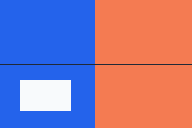
#2463EB≈ royalblue#F47B52≈ coral#F8FAFC≈ whitesmoke
Our original image · approximate color names
Example shown above. Upload your image or try the sample; nothing is uploaded.
Keep a few colors together while you work. They disappear when you leave this page.
Your image’s colors, ready to use.
Generated from the whole image. Click a swatch to inspect it.
Bring your image.
Upload, drag and drop, paste an image from your clipboard, or load a direct image address. The original example above shows pixel values and approximate color names before you upload. Choose Try a sample to load it into the tool, or use this color finder with your own image, one at a time, entirely in your browser.
Supported formats: PNG, JPEG/JPG, WebP, HEIC/HEIF, GIF, ICO, TIFF/TIF, BMP and SVG. GIF uses a still frame; TIFF and HEIC use the first image; ICO uses the browser-selected icon. SVG is rasterized at its intrinsic size.
Files are limited to 40 MB and 24 million decoded pixels by this tool. Unusual encodings can fail even within a supported format. HEIC and TIFF are decoded locally with bundled open-source decoders.
One pixel. Clear values.
Click or tap the image to choose a pixel. The magnifier shows its neighbors. With the image focused, each arrow-key press moves one source pixel. Coordinates start at X 0, Y 0 in the top-left corner. Click a value row to copy just that format, or use Copy all values for the selected color.
HEX, RGB, HSL and HSV describe the decoded sRGB pixel. Alpha is shown separately: transparent pixels are not silently blended with white. A fully transparent pixel has no visible color. CMYK is a mathematical approximation, without an ICC print profile. Color names are the nearest CSS named color in CIELAB, not an exact identification.
Color management follows your browser for native formats. Converted HEIC/TIFF files may not preserve embedded profiles or HDR. Use this color identifier for screen design; it cannot reliably match physical paint or printed colors.
Take the colors with you.
Pick a pixel, then use Keep color or press Enter to add it to Picked colors. Build a group in the order you choose. Click a kept color to inspect it, remove it with ×, or use Clear to empty the group.
Copy group copies every kept HEX value on its own line, in selection order; partly transparent colors include the alpha channel. Export group downloads that same selection as CSS variables, JSON data or an SVG swatch sheet, preserving transparency. Choose the format beside the button.
The separate Image palette is generated from the whole image. Its Colors slider lets you request 3–24 colors; images with fewer distinct colors produce fewer swatches. Fully transparent pixels are excluded. Click a swatch to inspect it, or use Export palette to download CSS, JSON or SVG.
Picked colors stay only for this page session. Uploads and picked colors are never saved to a history or sent to a server.
A few useful answers.
How do I check a color code from an image?
Load your image, select a pixel and click the HEX or RGB row to copy it. Use the magnifier and arrow keys to check the exact location before copying.
Is a color selector different from a color picker?
A color chooser, selector or picker serves the same purpose here: choosing a color from an image and getting its code. All input methods, picked colors and palette tools live on this page.
Why won’t an image URL load?
The source website must allow your browser to read its image across origins (CORS). A link to a web page is not an image file. If access is blocked, download the image and upload it here. No proxy is used, and loading a URL contacts only that image’s host.
Does pasting work on a phone?
Use Paste image when your browser grants clipboard access. If it does not, use Upload image and choose a photo. On a computer, Ctrl+V or Command+V can paste a copied image directly. Copying a file in a file manager may not put image data on the clipboard.