Start with the colors the logo actually contains
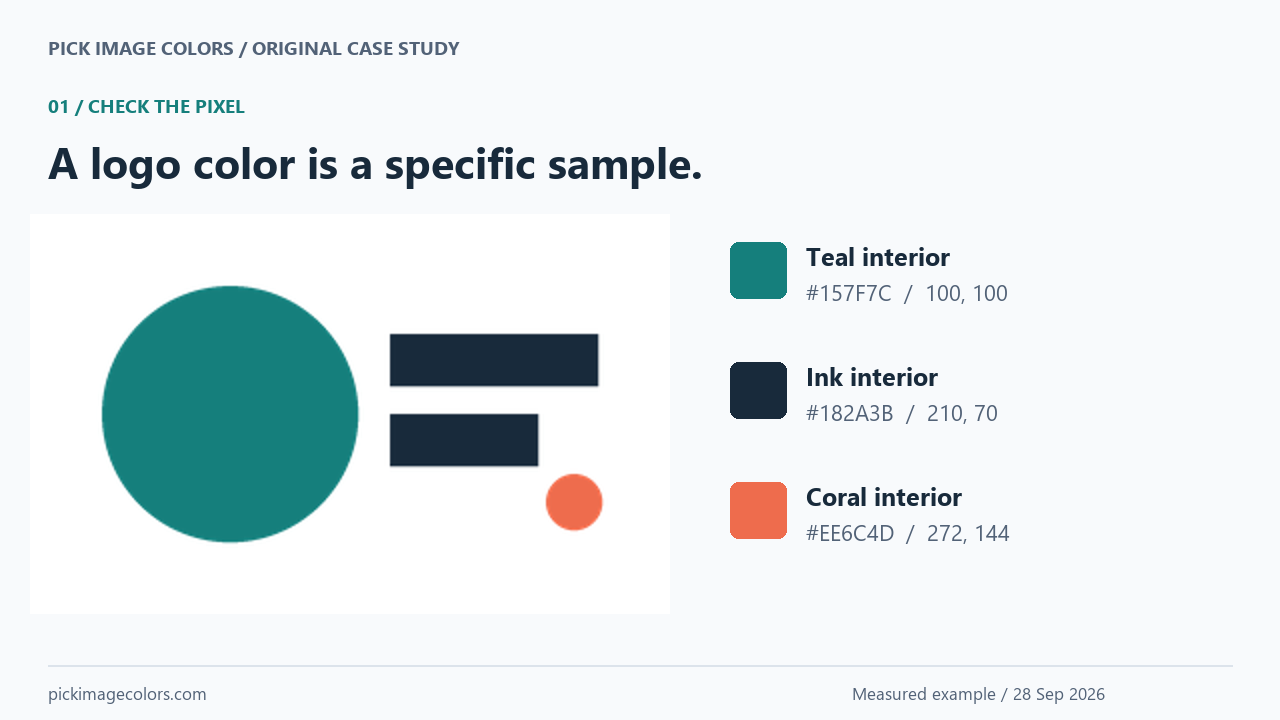
For this case study, we drew a teal circle, two dark bars and a small coral dot. Their authored fills were #157F7C, #182A3B and #EE6C4D. The final PNG is 320 × 200 pixels. We made both a transparent version and a version flattened onto white, keeping the shapes in the same positions.
We uploaded each file to our existing image picker in Chrome and selected the interior coordinates below. All three interior readings matched the authored fills in both files. These are results for our generated specimen, not a claim about every logo downloaded from the web.
| Shape | X, Y | HEX in both files | RGB in both files |
|---|---|---|---|
| Teal circle | 100, 100 | #157F7C | 21, 127, 124 |
| Dark bar | 210, 70 | #182A3B | 24, 42, 59 |
| Coral dot | 272, 144 | #EE6C4D | 238, 108, 77 |
The edge gave a different answer. At X 59, Y 50, Chrome displayed #14827D with alpha 43.9% in the transparent PNG, but #98C8C6 with full opacity in the white version. Our file-level Pillow reading of the transparent pixel was #14817D with alpha 112 out of 255. The green channel differed by one between those decoding paths. We kept that discrepancy in the results instead of presenting a semi-transparent boundary as an exact fill.

Check whether the automatic palette kept the accent
We requested three colors for the transparent logo. The tool returned #168683, #157F7C and #31323D. Our small coral dot was still present in the image, but its authored #EE6C4D was absent from that palette. Clicking the dot at X 272, Y 144 returned #EE6C4D directly.
Increasing the request to eight included all three authored fills alongside additional colors. This shows why the number of requested swatches should not be treated as the number of intentional brand colors. In this specimen, antialiased boundaries contribute extra RGB values, and a cluster can summarize several values with one center.
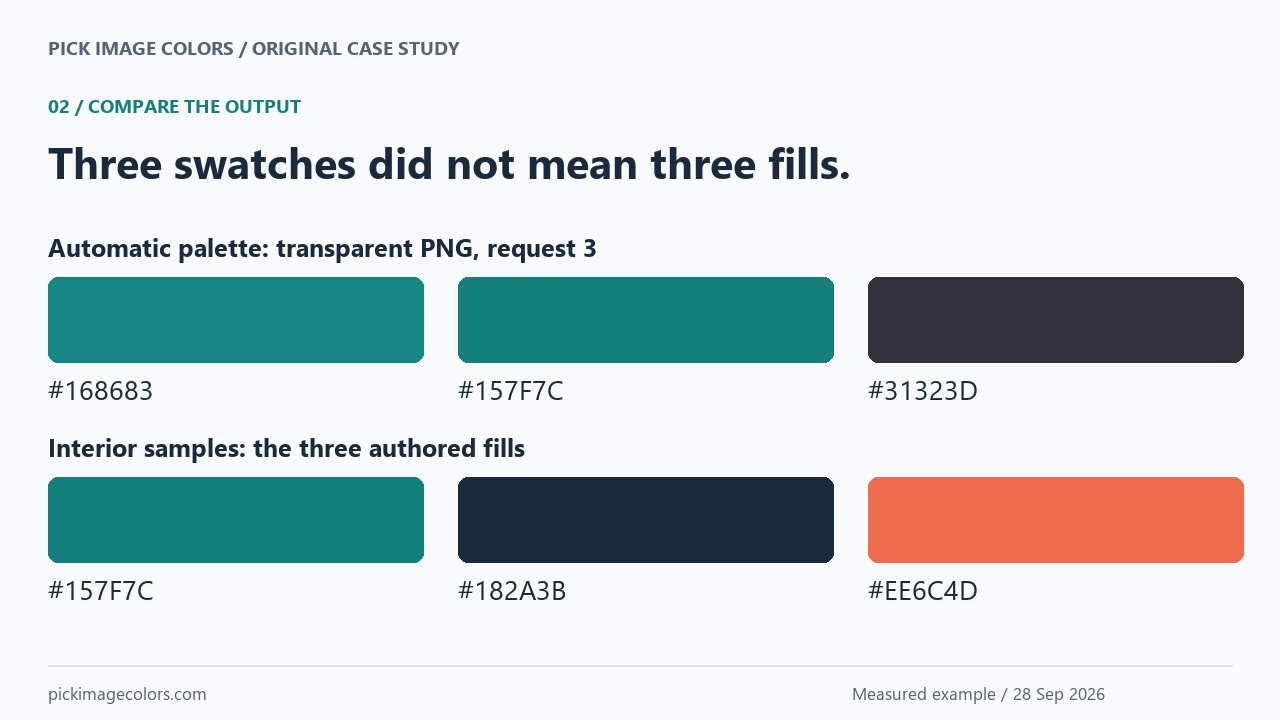
We also clicked Export palette with CSS selected. The downloaded file contained the same three automatic colors in variables named --color-1 through --color-3. Exporting did not restore the missing accent or decide which swatch should be used for text. For this example, we copied the verified interior values into a separate CSS file with explicit roles.
Choose a readable label before using the accent
For our coral background #EE6C4D, white text calculated to 3.05:1 contrast. The sampled ink color #182A3B on that same background calculated to 4.81:1. We therefore used the ink label on the coral action link in the example below. We did not change the accent itself.
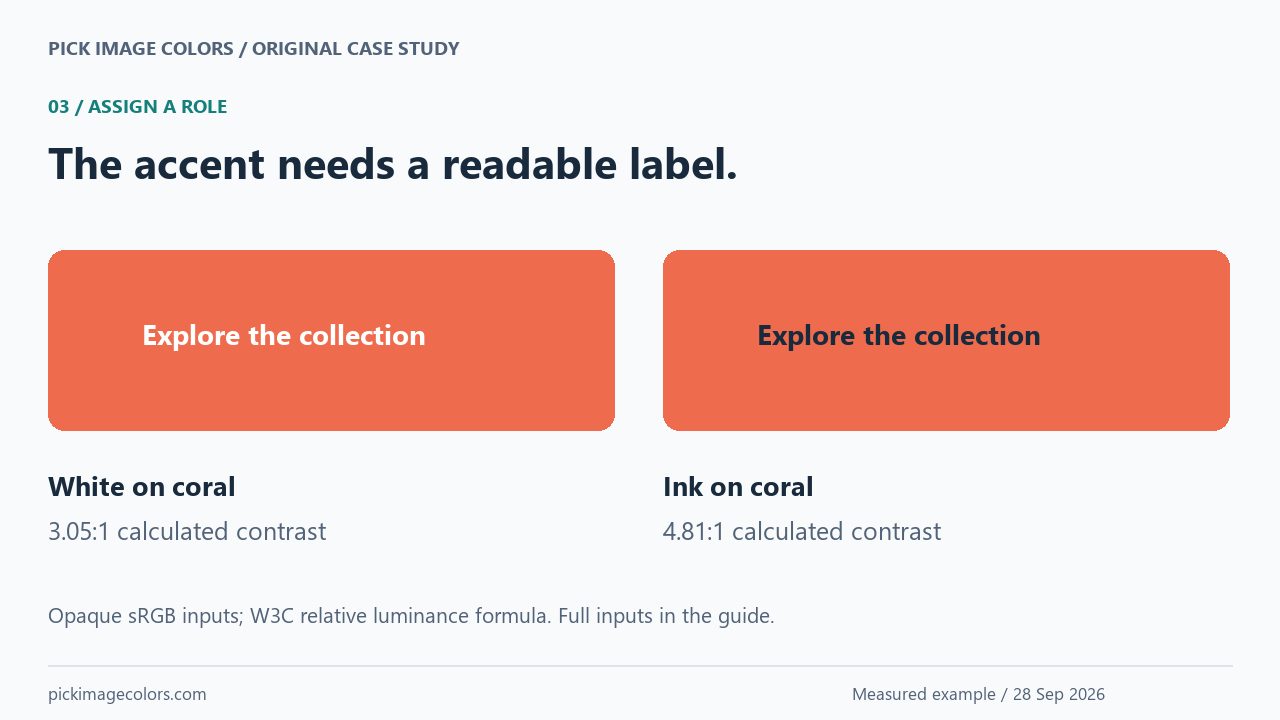
The calculation is (lighter relative luminance + 0.05) divided by (darker relative luminance + 0.05). We normalized each RGB channel by 255, linearized it using the W3C sRGB formula, then weighted the channels by 0.2126, 0.7152 and 0.0722. Our calculation record lists every input. This is a check of particular color pairs, not a full accessibility assessment of the component.
For ordinary text, WCAG’s minimum contrast criterion uses 4.5:1, with exceptions including large text and logotypes. A logo exception does not automatically cover ordinary interface labels. See W3C’s explanation of text contrast.
Apply the verified colors to an actual header
Our example assigns teal to the small section label, ink to body text, coral to the action background and white to the surface. This keeps the logo’s small accent useful without requiring a whole coral page. The preview below is live HTML and CSS, so its text reflows with the page width.
 Fieldnote Studio
MADE FOR EVERYDAY IDEAS
A little color.
A clear direction.
A sample header built from the logo’s teal, ink and coral. Each color has a job.
Download this palette →/* Roles chosen from our verified interior samples, not the automatic swatch order. */
:root {
--brand: #157F7C;
--ink: #182A3B;
--accent: #EE6C4D;
--surface: #FFFFFF;
}
.logo-demo { background: var(--surface); color: var(--ink); }
.logo-demo .demo-action { background: var(--accent); color: var(--ink); }
.logo-demo .demo-kicker { color: var(--brand); }
The names are decisions we made for this component. They are not properties hidden in the image, and the picker does not infer them. A different component might need a different surface, state color or text pairing even when it starts from this same logo.
CSS custom properties let you name a value once and use it with var(). See MDN’s custom properties guide for scope and inheritance.
Repeat this case with the supplied files
- Download either original PNG and open the image color picker. Upload the file without taking a screenshot or resizing it.
- Sample the three interior coordinates in the table. Use the magnifier and arrow keys to land on the exact source pixel; record the displayed coordinates and code.
- For the transparent file, request three palette colors, then eight. Compare the result with the small coral dot rather than assuming every important detail survived clustering.
- Select CSS and export the automatic palette. Compare its variables with our actual download, then use the separately supplied role-based CSS to recreate the example header.
We generated the specimen with Pillow 12.3.0 and checked it in Chrome on Windows. There is no embedded ICC profile. Our files and function replay are deliberately narrow evidence: different assets, decoders, color spaces or tool revisions can produce different results. Keep the original brand specification when one is available.
Questions about this workflow
Can I use the automatic palette as my exact brand specification?
Check it against the intended fills. In our specimen, the three-color palette missed the coral, while a direct interior sample returned it. The original asset or supplied brand specification remains the reference.
Does Export palette export the colors I kept manually?
The current Export palette control exports the generated image palette. Picked colors are a separate collection. For our header, we copied the interior values into the downloadable CSS with named roles.
Why is the white-background edge a lighter teal?
That file already contains a blended edge. At our measured coordinate it is #98C8C6; the solid interior is #157F7C. Use the interior to reproduce this shape’s fill.
Should every color in a logo become a text color?
No. Our coral works as an action background with a dark label. Text and its actual background need to be checked together; a palette alone does not establish readability.
Watch the case study
Original experimental diagrams with synthetic English narration. The tables and downloads retain the complete values.