We kept the image fixed and changed the numbers
We created one 400 × 100 pixel opaque PNG containing eight solid tiles. Each tile is 50 pixels wide. The source samples use Y 50 and X 25, 75, 125, 175, 225, 275, 325 and 375, so every reading sits inside a flat area rather than on an edge. The downloadable file has no transparency to mix with a background.
First, Python colorsys calculated HSL from each original RGB triplet. We rounded hue, saturation and lightness together to zero, one or three decimal places. Then a separate browser harness supplied each resulting string to a fresh canvas color fill and read back its opaque sRGB pixel. The observed table comes from that browser readback, not from the Python prediction alone.
Our source-image control decoded the PNG and read the same fixed coordinates. All source readings matched the RGB values used to draw the tiles. There were 8 tiles × 3 precision settings = 24 HSL renderings. The canvas result and the source control were both read numerically; we did not measure colors from screenshots.

The yellow changed; the teal control did not
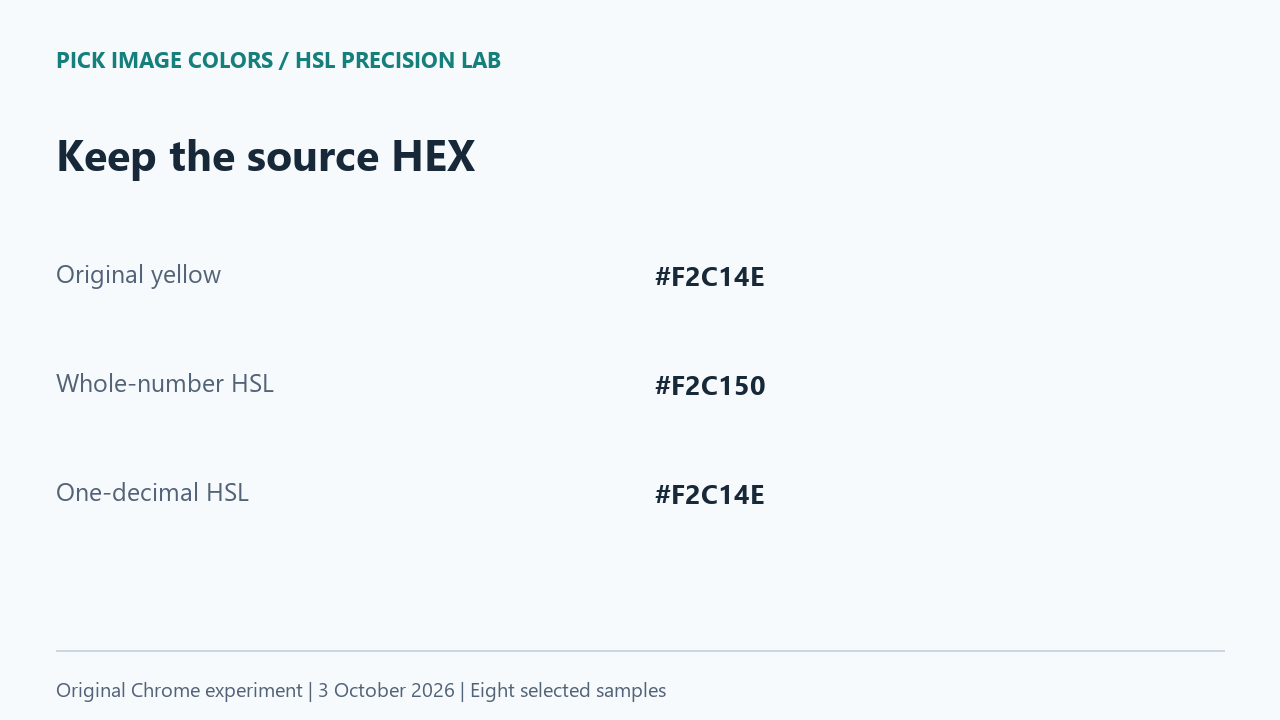
The yellow source was #F2C14E, or RGB (242, 193, 78). With whole-number hsl(42, 86%, 63%), Chrome returned #F2C150, or RGB (242, 193, 80). Only the blue channel changed: 80 − 78 = +2. Keeping hsl(42.1, 86.3%, 62.7%) returned the source RGB triplet exactly in this run.
The teal was a useful contrast. Its source #157F7C survived even the whole-number input hsl(178, 72%, 29%). Rounding did not change every sample. The near-white tile changed in two channels, while the first blue changed in just one; a single visual example would have hidden those different outcomes.
| Original HEX | 0 decimals | 1 decimal | 3 decimals |
|---|---|---|---|
| #2484B8 | #2484B7 | #2484B8 | #2484B8 |
| #1E5AB4 | #1E5AB3 | #1E5AB4 | #1E5AB4 |
| #F2C14E | #F2C150 | #F2C14E | #F2C14E |
| #157F7C | #157F7C | #157F7C | #157F7C |
| #F47B52 | #F47B52 | #F47B52 | #F47B52 |
| #111C2B | #111C2C | #111C2B | #111C2B |
| #7F8081 | #7E8081 | #7F8081 | #7F8081 |
| #F9FAFC | #F8F9FC | #F9FAFC | #F9FAFC |
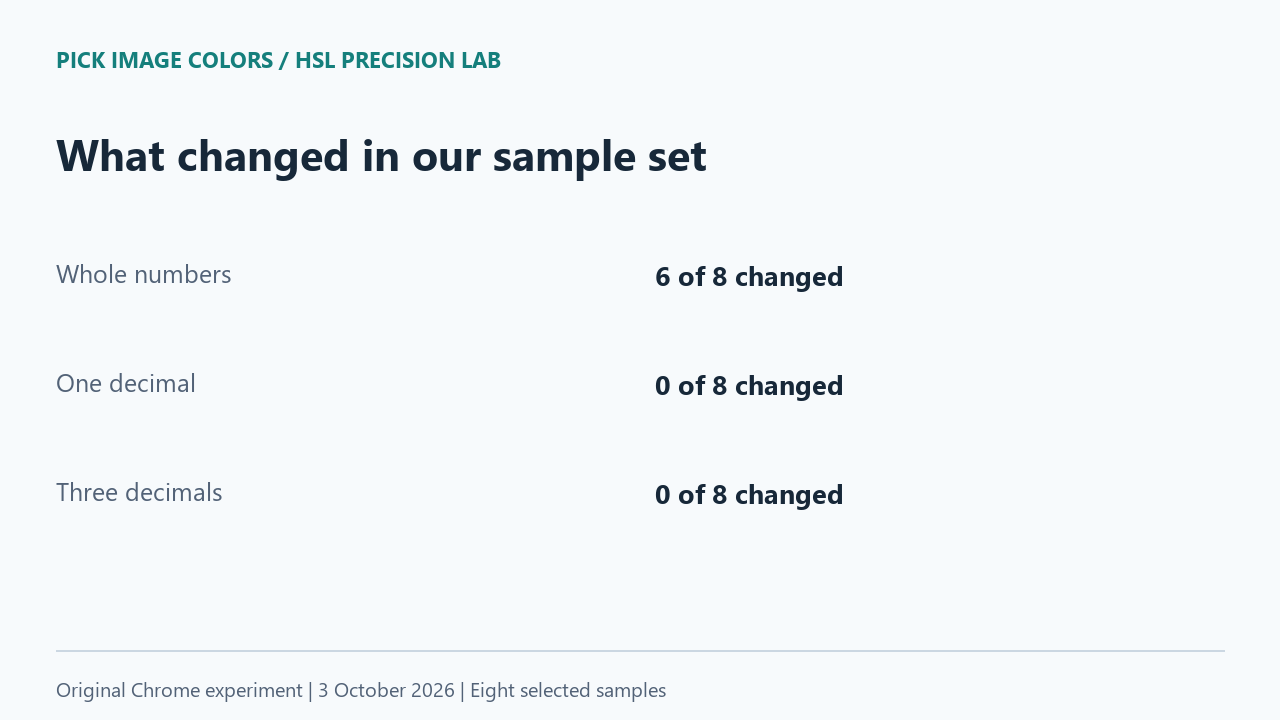
Six of the eight whole-number results differed from their source. None of the one-decimal or three-decimal results differed in this set. The largest absolute channel difference was 2, calculated as the maximum of |rendered channel − source channel| across the recorded rows. This is an encoded RGB difference, not a perceptual color-distance score.
HSL can contain decimals
MDN describes CSS hsl() as an sRGB color representation using hue, saturation and lightness. Hue accepts a number or angle, and saturation and lightness can use percentages. The format is not limited to whole numbers. MDN also notes that absolute HSL colors serialize to RGB and that serialization may round the channels.
Keep two operations separate: shortening the HSL input changes the numbers being supplied, while reading an integer RGB pixel expresses the rendered result at that pixel format's precision. Seeing a shorter value in an interface does not establish what the application stores internally. Our experiment deliberately reused the shortened text as a new input.
What the live image picker actually returned
We uploaded the original fixture to Pick Image Colors and selected its yellow tile. The live result was #F2C14E, RGB (242, 193, 78), and hsl(42.1, 86.3%, 62.7%). This HSL string matched the one-decimal case in our harness, which returned #F2C14E.
We also inspected the current formatter: it rounds the displayed HSL components to one decimal place and omits trailing zeroes. It computes HEX from the sampled RGB, not by converting that shortened HSL string back. Therefore the whole-number difference in the table was introduced by our deliberate re-entry step; it was not a different pixel returned by the live picker.
This gives the handoff a clear reference. Save the sampled HEX or RGB beside any edited HSL value. If a later conversion disagrees, compare it with that saved source triplet. Do not resample a different image location to explain a discrepancy that appeared only after changing the numeric representation.
Repeat the same conversion path
- Download and extract the lab ZIP. It contains the original PNG, the self-contained test page and our observed JSON. Keep the page and image in the same directory.
- From that directory, run python -m http.server 8770 --bind 127.0.0.1 and open http://127.0.0.1:8770 in your browser. This local server needs no account or remote upload.
- Press Run experiment. Compare each source reading, supplied HSL string and rendered RGBA result in the visible table and JSON.
- Upload the supplied PNG to the homepage picker and select the yellow tile. Compare its HEX and HSL with the corresponding row, rather than comparing a screenshot of the table.
Our measurement used Chrome 154 on Windows on October 3, 2026. The observation file records the browser string, timestamp, canvas color space and original PNG hash. The samples are opaque and intentionally selected, not a random survey of every RGB color. We did not test another browser, a print profile, HDR, perceptual visibility or repeated editing cycles.
Questions about an HSL handoff
Should I remove the decimals before pasting HSL?
Keep them when preserving the supplied color matters. In our yellow case, removing fractional precision changed the resulting blue channel.
Does one decimal always reproduce the original HEX?
This experiment does not establish that. It worked for every tile in our small fixture; retain the source RGB or HEX when exact reproduction is required.
Is a different code necessarily a visible mismatch?
The test measured numeric channel differences. It did not measure whether a person could distinguish the results on a particular display.
Watch the precision comparison
Original diagrams with synthetic English narration.