One shape description, two intrinsic sizes
We made a yellow rectangle, filled with #F2C14E, and placed a teal rectangle filled with #157F7C on top. The teal rectangle ends at X 60.25 in a viewBox of 0 0 120 60. There are no gradients, filters, strokes, external images or fonts in either file. Both fills are opaque.
The smaller file declares width 120 and height 60. The larger declares width 240 and height 120. Their shape coordinates and fill strings are identical. We also created separate solid teal and yellow PNGs, so the source fills could be checked without a vector boundary.
The edge changed; its neighbors did not
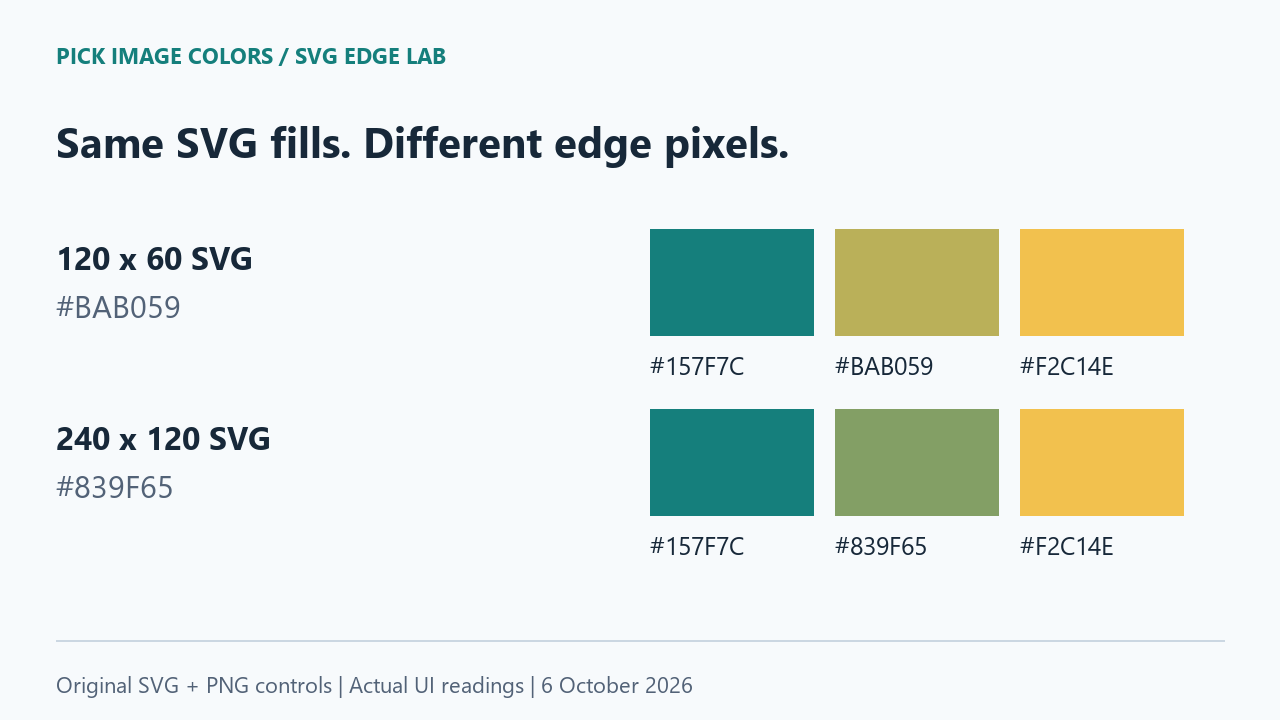
We uploaded each original file to the public image color picker in the same Chrome session. The interface reported 120 × 60 pixels for the small SVG and 240 × 120 for the large one. We clicked at the coordinates below and copied the displayed readings into an observation log. Coordinates start at zero.
| Uploaded file | X, Y | Displayed HEX |
|---|---|---|
| edge-120.svg | 30, 30 | #157F7C |
| edge-120.svg | 59, 30 | #157F7C |
| edge-120.svg | 60, 30 | #BAB059 |
| edge-120.svg | 61, 30 | #F2C14E |
| edge-120.svg | 90, 30 | #F2C14E |
| edge-240.svg | 60, 60 | #157F7C |
| edge-240.svg | 119, 60 | #157F7C |
| edge-240.svg | 120, 60 | #839F65 |
| edge-240.svg | 121, 60 | #F2C14E |
| edge-240.svg | 180, 60 | #F2C14E |
| teal-control.png | 30, 30 | #157F7C |
| yellow-control.png | 30, 30 | #F2C14E |
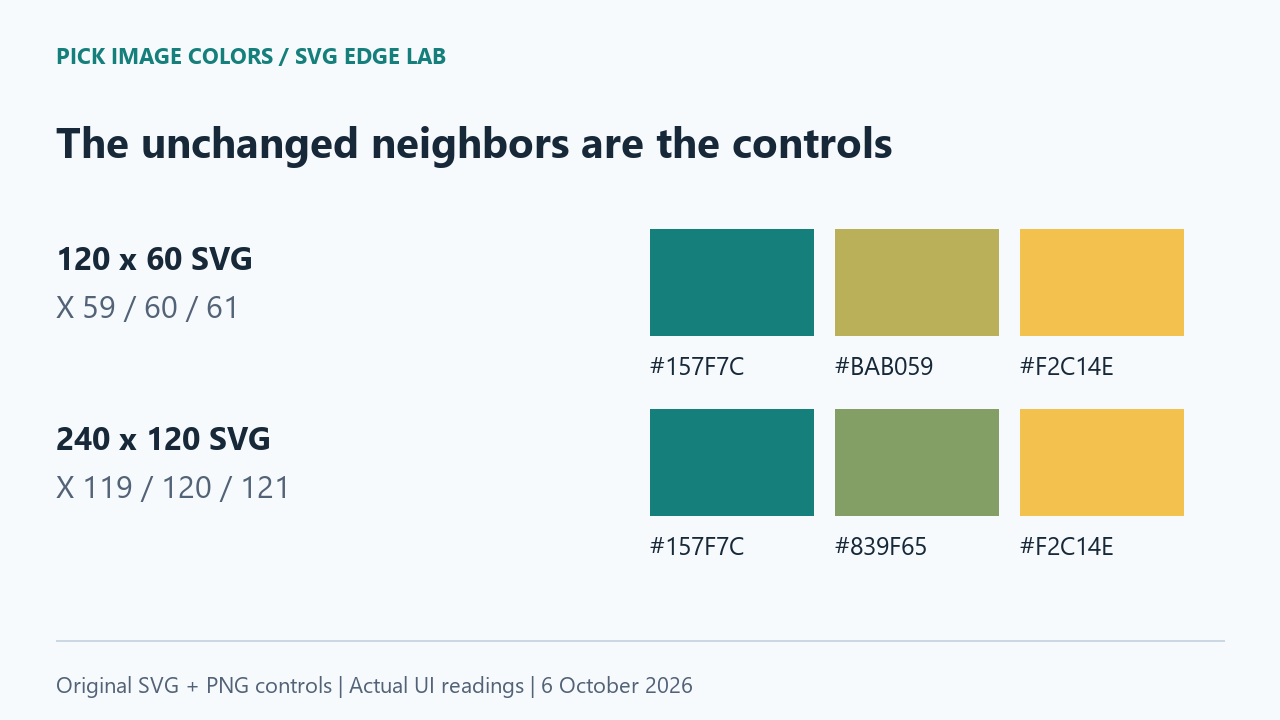
On the smaller SVG, X 59 was teal, X 60 was #BAB059, and X 61 was yellow, all on row 30. On the larger SVG, X 119 was teal, X 120 was #839F65, and X 121 was yellow, all on row 60. Moving one pixel across the boundary therefore mattered more than the fact that the file contained only two fill strings.
The independent PNG controls returned the intended teal and yellow. Together with the unchanged interior and neighboring SVG pixels, these controls support a localized edge difference in this test. They do not suggest that every color in the larger image was shifted.
The boundary meets a different pixel grid
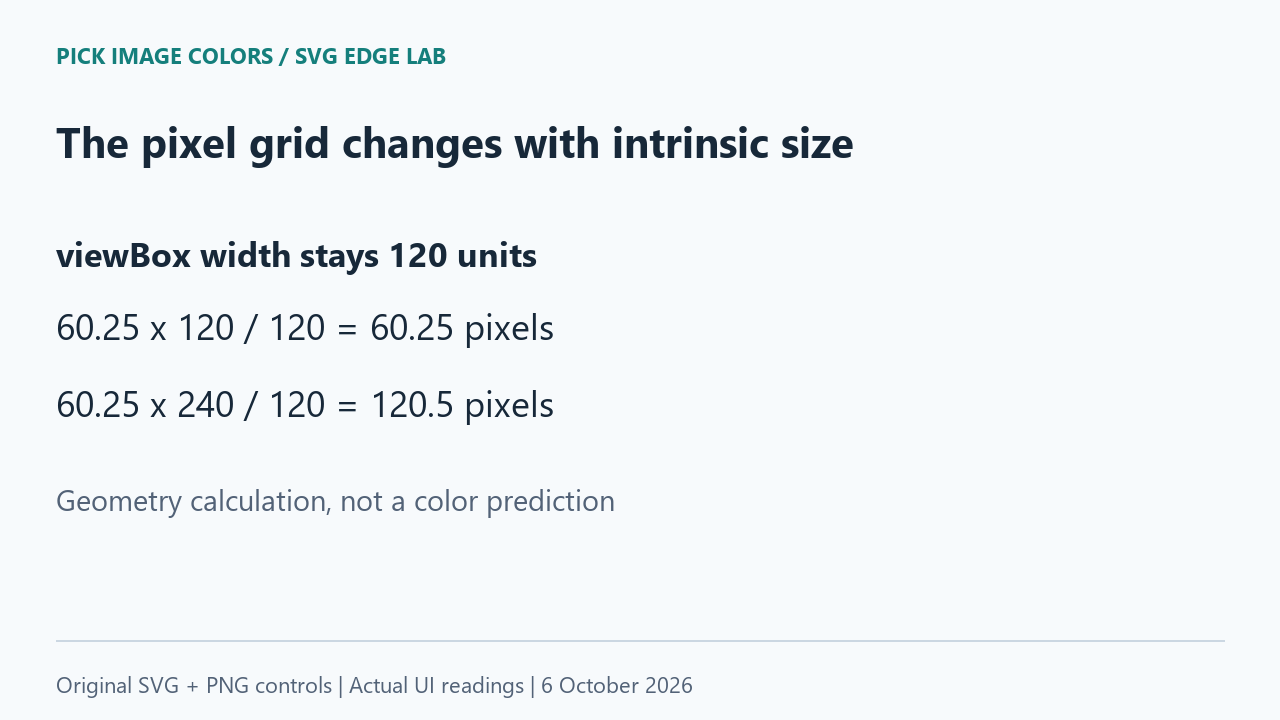
For these files, both dimensions double and the aspect ratio stays the same. The horizontal mapping is boundary coordinate × declared width ÷ viewBox width. The small file gives 60.25 × 120 ÷ 120 = 60.25 pixels; the large file gives 60.25 × 240 ÷ 120 = 120.5 pixels.
That places the same vector boundary at different fractional positions within the raster grid. The measured mixed edge codes are consistent with edge smoothing during rasterization. This is an interpretation of our controlled results, not a measurement of the browser's internal coverage weights. We did not derive either HEX by assuming a blending percentage.
Why the fill string is not the whole answer
The SVG coordinate specification describes how a viewBox maps user coordinates into a viewport. Our current tool decodes a self-contained SVG at its intrinsic size and samples the resulting canvas. It reads raster pixels; it is not an SVG fill-property inspector.
MDN's shape-rendering reference describes rendering tradeoffs, including edge smoothing and possible pixel alignment. Our files leave that property at its default. We did not test crispEdges, and changing that hint is not established here as a universal way to preserve a logo's colors or geometry.
Repeat the comparison without sampling a screenshot
- Extract the lab ZIP and upload edge-120.svg. Confirm the displayed dimensions before reading X 59, 60 and 61 on row 30.
- Upload edge-240.svg. Check X 119, 120 and 121 on row 60. Keep the larger file's coordinates separate from the smaller file's coordinates.
- Sample an interior point on each side, then upload the two solid PNG controls. Compare those results with the fill strings in the original SVG files.
- Record the filename, decoded dimensions, coordinates and displayed HEX together. The downloadable observation log includes timestamps for our clicks.
This comparison changes SVG intrinsic size before decoding. It does not test browser zoom, CSS resizing of a finished bitmap, a phone screenshot, or a different graphics program. Complex SVGs with transparency, filters, embedded images or inherited styles need separate controls.
Questions about SVG color picking
Why does a two-color SVG produce a third HEX?
In our files, the third shade appeared only at the boundary between two fills. The interior and solid PNG controls still matched. A raster edge pixel need not equal either source fill.
Should I use the edge HEX as my brand color?
Use the intended source fill when that is what your design specification calls for. Our edge codes describe particular rendered pixels at particular sizes; neither replaces the original teal fill.
Does enlarging an SVG guarantee a more accurate code?
No accuracy ranking follows from this test. Enlarging changed the boundary's grid alignment. The better sample depends on whether you need the source fill or the rendered edge.
Watch the size comparison
Original diagrams with synthetic English narration.