The original control
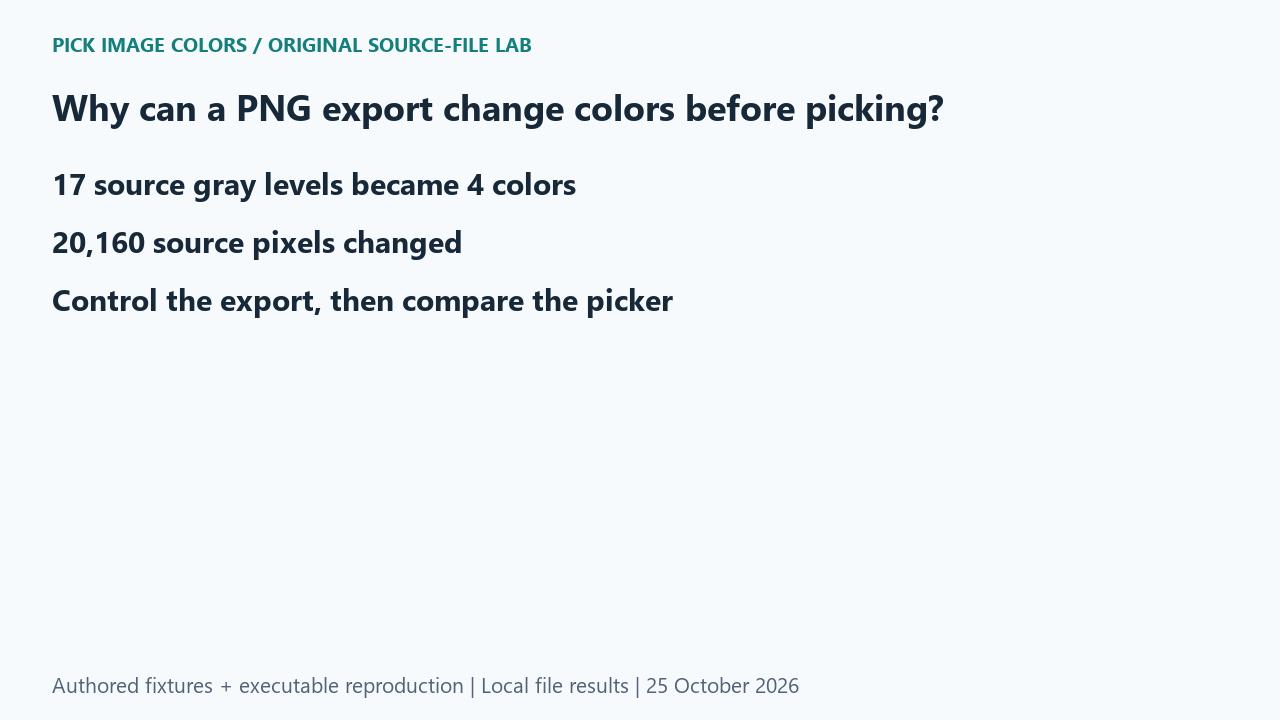
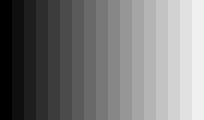
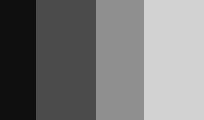
We drew seventeen adjacent gray bars into a 204 × 120 RGB image. Each bar was 12 pixels wide, and its channels were (15 × i, 15 × i, 15 × i) for bar index i from 0 through 16. We then requested four colors with Pillow MEDIANCUT and disabled dithering. Both the RGB original and the quantized result were saved as PNG.
What the saved files measured
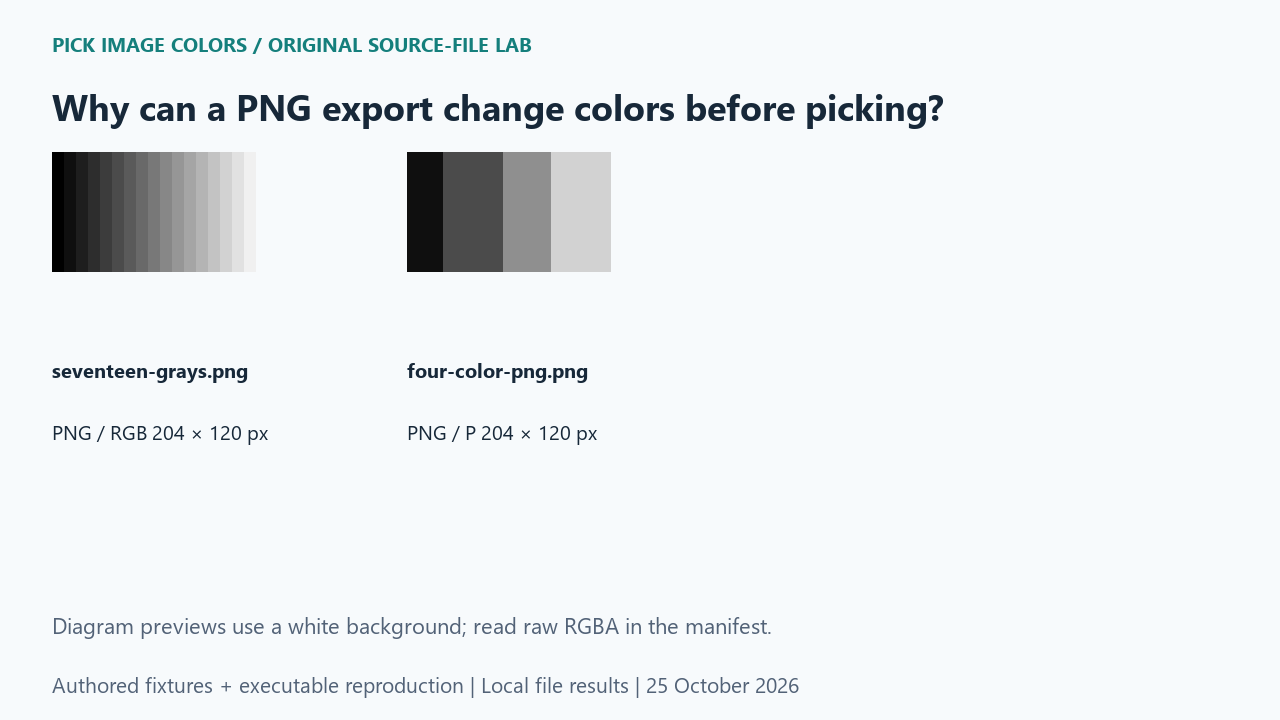
The original decoded to seventeen unique RGBA colors; the indexed output decoded to four. Those output grays were #D2D2D2, #4B4B4B, #8F8F8F and #0F0F0F. An exhaustive coordinate-by-coordinate comparison found 20,160 changed pixels out of the 24,480-pixel grid. The output histogram below comes from decoded pixels, not every stored palette slot.
Decoded output counts: #D2D2D2: 7,200 pixels; #4B4B4B: 7,200 pixels; #8F8F8F: 5,760 pixels; #0F0F0F: 4,320 pixels.
| Original test file | Detected format / mode | Dimensions | Bytes | Distinct decoded RGBA values |
|---|---|---|---|---|
| seventeen-grays.png | PNG / RGB | 204 × 120 | 398 | 17 |
| four-color-png.png | PNG / P | 204 × 120 | 168 | 4 |
These are source-file measurements made with Python 3.12.14, Pillow 12.3.0 and libwebp 1.6.0. The manifest records complete file hashes, decoded RGBA hashes and the relevant coordinates. File sizes are measured bytes for these inputs, not forecasts for other images.
How to interpret this comparison
The useful control is the pre-quantization PNG. Comparing only the final file with its own copied HEX code would hide the earlier reduction. Here the operation responsible for the changed shades is explicit: RGB to a requested four-color palette. This does not mean every indexed PNG loses source colors; a palette can represent the needed values exactly when they fit.
Repeat this exact test
- Run the case and inspect all seventeen source sample coordinates in measurements.json.
- Compare unique_rgba and the decoded output_rgb_counts, then verify their pixel counts sum to 24,480.
- For an exact sampled shade, preserve the original export and compare that source rather than a reduced preview.
Download and unpack the ZIP. With Python and Pillow installed, run the command below. Compare the generated measurements.json with the included report. The script regenerates fixtures and computes the measurements; it does not obtain values from this article.
python reproduce.py --case png-quantization-color-changes --out rerunScope and limits
The four output representatives are measurements from this MEDIANCUT run. Other quantizers, dithering settings and library versions may choose different representatives. We did not measure a browser’s automatic palette or promise that every PNG export uses this reduction.
Our own sample is a diagnostic control. Applying its conclusion to another file requires checking that file and the operations performed on it. We have not measured a global error rate or established that an automatic palette is an exhaustive list of image colors.
Does PNG always reduce an image to four colors?
No. Four was the explicit quantizer setting in this experiment. The original RGB PNG retained all seventeen grays.
Watch the source-file comparison
Original diagrams and synthetic English narration. Caption sentence timings are approximate.