The original control
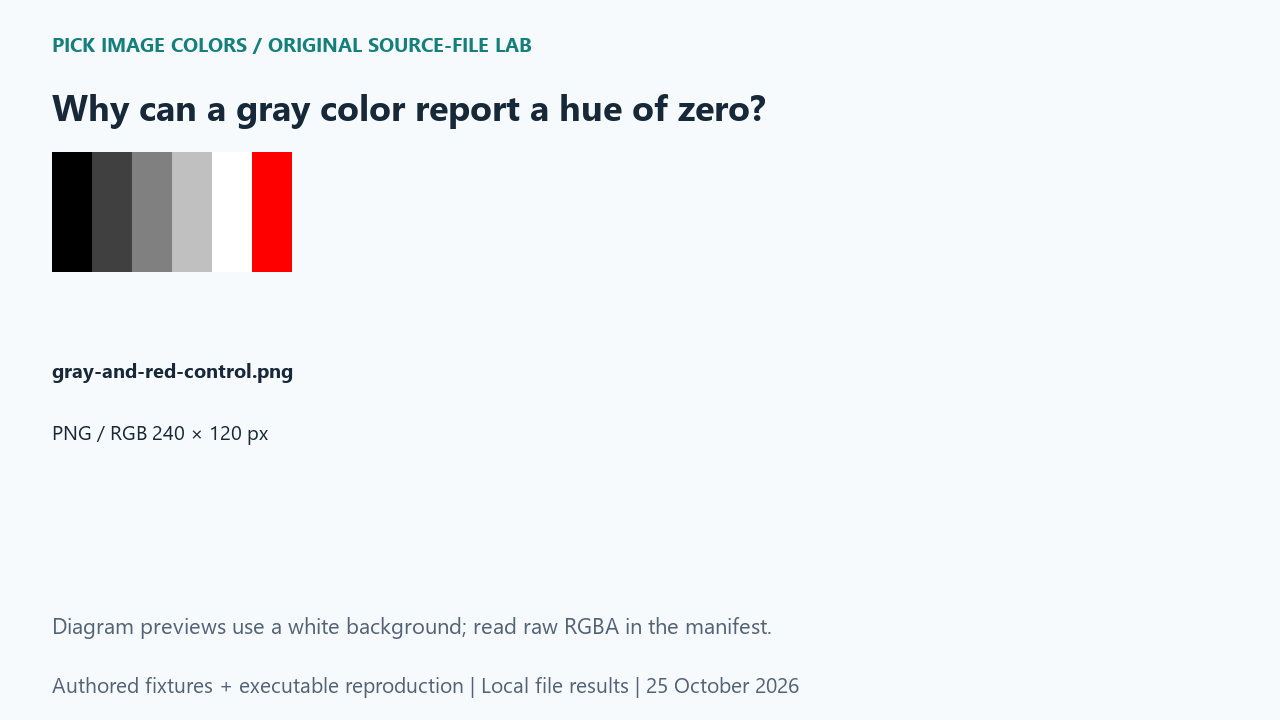
We authored an image containing five neutral swatches with equal RGB channels: 0, 64, 128, 192 and 255. A sixth swatch was pure red, (255, 0, 0). We normalized the RGB bytes by 255 and passed them to Python colorsys.rgb_to_hls. The saved report keeps the function’s HLS ordering explicit.
What the saved files measured
All five grays returned hue 0 and saturation 0. The red control also returned hue 0, but saturation was 100 percent after multiplying the normalized result by 100. Mid-gray #808080 returned lightness 50.19607843137255 percent, while the red control returned 50 percent. The table rounds lightness to two decimal places for reading; the JSON preserves the full results.
| Source HEX | Hue ° | Saturation % | Lightness % |
|---|---|---|---|
| #000000 | 0 | 0 | 0.00 |
| #404040 | 0 | 0 | 25.10 |
| #808080 | 0 | 0 | 50.20 |
| #C0C0C0 | 0 | 0 | 75.29 |
| #FFFFFF | 0 | 0 | 100.00 |
| #FF0000 | 0 | 100 | 50.00 |
| Original test file | Detected format / mode | Dimensions | Bytes | Distinct decoded RGBA values |
|---|---|---|---|---|
| gray-and-red-control.png | PNG / RGB | 240 × 120 | 416 | 6 |

These are source-file measurements made with Python 3.12.14, Pillow 12.3.0 and libwebp 1.6.0. The manifest records complete file hashes, decoded RGBA hashes and the relevant coordinates. File sizes are measured bytes for these inputs, not forecasts for other images.
How to interpret this comparison
The control prevents a misleading diagnosis based on one shared field. Equal red, green and blue channels establish that our five source swatches are neutral in this RGB calculation. Their zero hue is the function’s achromatic convention, not evidence that red leaked into the PNG. Comparing hue while ignoring saturation discards the field that separates these controls.
Repeat this exact test
- Run the gray case and inspect the RGB tuple alongside hue, saturation and lightness.
- Compare #808080 with #FF0000: both hue fields are zero, but their saturation fields differ.
- If another interface displays a blank hue for gray, compare its documented achromatic convention before calling the RGB value inaccurate.
Download and unpack the ZIP. With Python and Pillow installed, run the command below. Compare the generated measurements.json with the included report. The script regenerates fixtures and computes the measurements; it does not obtain values from this article.
python reproduce.py --case gray-hue-zero --out rerunScope and limits
We measured Python colorsys, not every color-picker interface. A program can represent an achromatic hue differently. This experiment also does not measure perceived warmth, display calibration or color-name matching.
Our own sample is a diagnostic control. Applying its conclusion to another file requires checking that file and the operations performed on it. We have not measured a global error rate or established that an automatic palette is an exhaustive list of image colors.
Is hue zero enough to call a color red?
No. The neutral gray controls also returned zero hue. The source RGB channels and saturation must be considered.
Watch the source-file comparison
Original diagrams and synthetic English narration. Caption sentence timings are approximate.